
FlixFox APK Download
FlixFox is a modern entertainment app designed for discovering movies and TV shows with a clean and simple interface. Explore trending entertainment, browse different categories, and enjoy a smooth viewing experience on your Android device.
Download FlixFox APK ↓
Flixfox
FlixFox is a modern media streaming platform. It’s completely different from your old streaming apps. Its main purpose is to provide you with smooth performance even on low internet speeds. Therefore, users can enjoy 4K and HD playback without buffering. Additionally, the FlixFox official interface is especially designed for users who are using the app for the very first time. Now, they can easily explore the content of their interest and taste without any trouble. Are you also looking for a platform for online entertainment?
Then, the FlixFox website offers you a huge collection of content in multiple categories. Here, the customized recommendation engine is available. Thus, it analyzes your viewing habits and creates a personalized playlist for you. Moreover, multi-language subtitle integration and peer-to-peer delivery technology are included. The app provides users with a seamless cinematic experience directly on their screen. Thus, you have a great opportunity to enjoy entertainment without effort.
What is FlixFox App?
FlixFox App is a new revolution in the world of streaming. It’s a high-performance media player & streamer. Moreover, it’s a powerful Android and cross-platform application. The app runs on a smart media decoding engine. It not only streams content from online cloud servers but also plays the available content in your device gallery. Additionally, the app’s custom UI design consumes minimal resources.
Thus, mobile battery life and RAM optimization are maintained. A built-in hardware acceleration v3 feature is available in the application. The feature runs high-bitrate movies on low-end devices without lag. Further, background audio play, float window, and automated resume playback options are available. All these features make it unique from similar streaming apps.
Features of Flix Fox
Flix Fox offers users a variety of useful features. Users can enjoy high-quality content streaming because of these features. Let’s have a look at its useful features.
Smart Cloud-Node Routing
It automatically shifts streaming to a faster server. Thus, buffering becomes minimal. Users can enjoy seamless and smooth performance on Android devices.
Hardware Acceleration V3
Now, on your low-spec and old devices, high-bitrate 4k and HD content runs without lag. Thus, use this amazing app and enjoy a seamless viewing experience on your Android device.
Zero-Cache Buffer Technology
The Flix Fox app doesn’t fill the device with internal storage or RAM. It offers you streaming with direct memory decoding. Thus, users can enjoy high-quality streaming without any trouble or hassle.
Adaptive Bitrate Streaming
Another amazing feature of the platform is that it automatically adjusts the video resolution. Thus, even with slow internet speeds, you can enjoy high-quality video streaming.
Integrated Subtitle Engine
Multi-language subtitle support is accessible for users who have a craze for international content. Flix Fox APK offers a facility to auto-fetch and sync subtitles in real-time from the internet. Thus, enjoy the content with better understanding.
Picture-in-Picture (PiP) Floating Player
Now, picture-in-picture mode is available to offer you seamless multitasking. Users can easily enjoy videos on a small screen while working on other apps. Thus, streaming becomes convenient.
Lossless Audio Passthrough
Dolby Digital, AAC, and DTS audio formats are available to deliver audio in its original sound without compressing the audio format. Thus, enjoy crystal-clear voice quality on your smartphones because of the Flix Fox app APK.
Secure Private Mode
The platform is secure and trustworthy. It keeps your data history private. Your data log remains encrypted. Thus, privacy remains safe and secure. You can use the app without getting stressed about your data and privacy.
Customizable Gesture Controls
On-screen controls to control different options in the latest version of Flix Fox. You can easily control brightness, volume, and playback position. Thus, control the app without any hassle.
FlixFox app download on Android
FlixFox app download using the following steps: It’s extremely simple to install this application on Android devices. Follow the FlixFox APK download process for Android to enjoy the best streaming experience on your phone. To begin with, check the settings of your phone and switch on “Unknown Sources” for the installation of a third-party app. Next, download the official APK file, open it, and click Install. The application is smooth and lag-free on all versions of Android 5.0 and later. Plus, it features HD resolution, rapid playback, and a simple navigation interface.
FlixFox App Free Download On PC.
For PC and laptop, you must use an Android Emulator like BlueStacks or LDPlayer to use this app. Install the emulator on your computer. Then, FlixFox App Free Download file from our website. While in the emulator, click on the “Install APK” button and choose the downloaded file. The app will be available on your PC within a few seconds. This allows for watching movies and streaming on a big screen with high-definition video, mouse and keyboard gesture shortcuts, and surround sound decoding.
FlixFox APK download on iOS devices.
The iOS operating system has strict security policies, which means the FlixFox APK cannot be installed directly on iPhones or iPads. For iOS users, there is Web-App (PWA) optimization and TestFlight beta support. To add it to the home screen, open the site in the Safari browser and tap on “Add to Home Screen.” This will bookmark the App on your iOS device. So that you get all the streaming features without jailbreaking your device. This iOS version supports HDR video rendering and is fully compatible with A-series chips.
Is FlixFox Movie App Download Safe To Use?
The question in many users’ minds is: is this app safe to use? FlixFox Movie app download has a secure and clean architecture design. Contains no malicious code, spyware, or unwanted background ads. Furthermore, the application doesn’t request any unneeded permissions like Contacts or Location from your device. Furthermore, all media streams pass through end-to-end encrypted servers, safeguarding user privacy. So you can rely on this app for your daily media player and streaming app and not have to worry about viruses or security.
FlixFox Latest Version Common Problems & Solutions.
In some cases, the player might experience loading or playback problems while playing the app. If you downloaded the FlixFox latest version and got a screen freeze, then proceed to the app settings, delete the cache, and turn hardware acceleration off. If your device is too old and the new update is causing lag, you can download the older version of the APK to enjoy smoother performance. If there is an error, make sure the internet connection is working fine or select “Software Decoder” from the app settings. This can help address these typical issues.
What is FlixFox Mod APK?
FlixFox Mod APK is an advanced and upgraded version of the platform. Here, users can take advantage of extra features. In the modded app adverts are completely blocked. Users can enjoy streaming without continuous skipping of unwanted ads. Moreover, unlimited extra features are available. Users can enjoy streaming without any subscriptions because of mod APK. Mod APK has many useful features. Additionally, it also has some risks. Malware and viruses are available that are risky for your Android devices. Therefore, save the APK file from secure sources.
Why is the FlixFox Movie App Popular?
FlixFox Movie app is so popular because of its minimal size and smooth streaming process. Unlike regular video players, the app uses less internet data and makes buffering faster. Also, users receive an ad-free environment, several server links, and the possibility to add external media subtitles. Besides, its custom decoding system supports 1080p and 4K video playback even on low-budget and older smartphones without overheating. The special technical characteristics make this app a favorite among streaming enthusiasts.
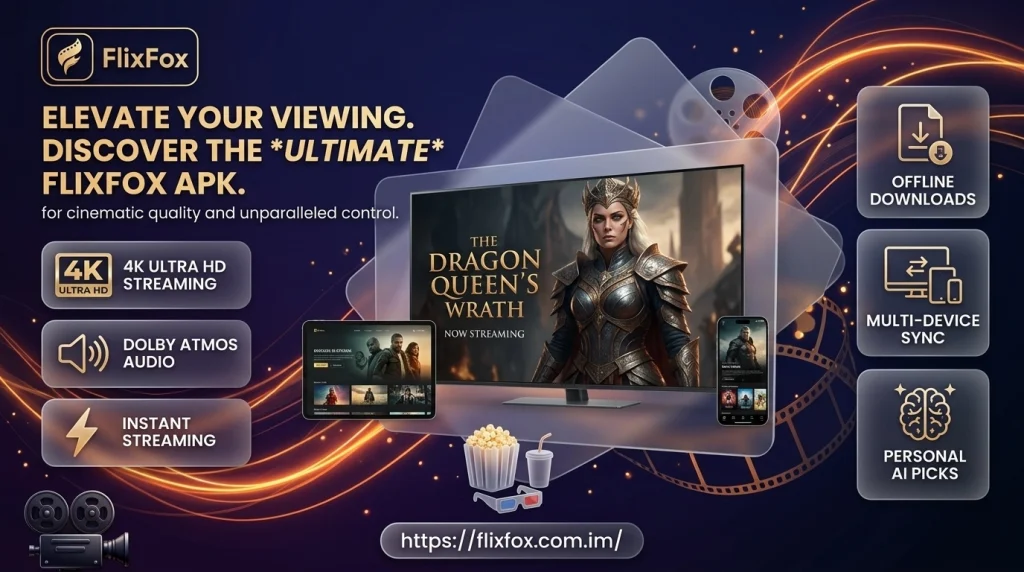
How To Use the FlixFox Streaming App?
FlixFox streaming app has a very simple and easy-to-use interface. On opening the app, you will see an empty dashboard with trending and newly added content highlighted. Search your favourite media using the search bar. At the bottom of a video, you can select to switch the subtitle language, video quality (from 360p to 4K), and audio track. Also, you can stop the video and switch on the PiP (Picture-in-Picture) mode. This enables you to play back content in other applications.
Available Content Categories
FlixFox provides a variety of different organized categories for different types of entertainment:
Movies Category
This category features the newest and the classics of Hollywood, Bollywood, and regional films, all in HD. You can stream them directly or play them using the high-speed FlixFox video player app engine.
Web Series & Streaming App Content
This is particularly targeted at binge-watchers. In this section, you will find full seasons and episodes of some popular web series in sequential order.
TV Shows & Live Streaming
Daily TV shows and serials, live channel content. It is refreshed regularly by quick cloud networks.
FlixFox Alternatives
Cinema HD
Cinema HD is a very popular media streaming app that offers quick links and HD media on Android devices. It has a very easy interface, and it can be used with Real-Debrid to get links to premium 4Ks. So, it could be an excellent mobile backup for those who wish to view films with less buffering.
Stremio
Stremio is an open-source, modern media aggregation tool that is operated with the help of Add-ons. Official services and cloud servers offer you the ability to stream movies, TV series, and live TV. The most important thing about it is the ability to sync simultaneously with Android, Windows, iOS, and Smart TVs.
BeeTV
BeeTV is a simple streaming application that extracts quality video URLs from the web and shows them. It provides native subtitles, multiplayer capabilities (VLC, MX Player), and offline download features. For this reason, it’s a suitable option for older and low-cost smartphones.
FlixFox Pros & Cons
Pros
- Supports quick video playback without using up internal storage as cache memory.
- It’s free and does not require a monthly subscription or an account sign-up.
- It is compatible with older phones with Hardware Acceleration V3.
- Supports Android, Smart TV, Firestick, and PC Emulators.
- It is able to retrieve and synchronise multilingual subtitles automatically in real time.
- Brightness, volume, and playback are controlled by swiping on the screen.
Cons
- There is no direct iOS app in the Apple App Store to play it, which means that people must rely on the Safari web app.
- Since it is not available on the Google Play Store, users have to install the APK file manually.
- Sometimes, content can be a loading problem due to inactive or unavailable server links.
Overall FlixFox Conclusion
FlixFox is an entertainment app for movie enthusiasts. It’s a sleek, minimalistic, and optimized streaming app for those who don’t want to pay anything to stream high-definition movies and web series. Moreover, an advanced cloud-node routing protocol and smart decoding engine make it possible to enjoy a smooth viewing experience even on low internet speeds. However, it’s not directly available on the Play Store and iOS App Store. Its ability to use PiP mode, integrate subtitles, and use minimal RAM makes it stand out from common media players. To sum up, when it comes to streaming movies without buffer issues, whether on an Android, Smart TV, or a PC, FlixFox might come in handy.
FAQs
Can I download the FlixFox app on Android?
Yes, you can easily download and install the application on an Android phone. Save the installation file, allow unknown sources, and start installation.
Is the FlixFox app for Android also useful for PCs?
Yes, PC users can use an Android emulator to install the application on their laptop. Use BlueStacks, LD Player, or Nox Player, emulator according to your PC storage and RAM.
What to do if FlixFox app download fails to install?
If installation is blocked on mobile. Then, temporarily disable Google Play Protect in security settings and also check storage.
Where can I get a working link to the FlixFox app?
On the internet, many fake links are also available. However, original and working links are available on official websites and trusted sources.
Is FlixFox free to download and use?
Yes, the app is completely free to download. Users can also access its advanced features without any subscriptions.
Can I install FlixFox APK for Smart TV and Firestick?
Yes, the app is available for Android-based smart TVs. Download the app on TVs and Firesticks with the help of sideloading apps.